
This feature is available in the professional version of AIMS. #
If you do not have a current subscription then you will be able to view existing multiple father records, but not add new ones.
When using artificial insemination with different males it’s not always possible to be 100% sure which male is the father of a chick, until you do a DNA test.
It is important to record the possible fathers.
AIMS now allows you to do this with very little effort, you simple select the AI System Male of the species you want and AIMS does the rest for you.
Multiple fathers automatically added to A10 or CITES applications #
When you apply for a CITES permit or A10 application using AIMS, it will add a list of possible males to the application for you automatically so that you comply with the law.
There was a recent prosecution in the UK where the breeder had inseminated a female with two of his male Peregrines. He had all the correct paperwork for both of the males. He listed one male as the father and later DNA testing showed it to be the other one. He was prosecuted for making a false declaration on his A10 application.
This will prevent you from having this issue if you make your applications through AIMS
So how does this work and what do you need to do to use it?
On the bird form for males that you use as semen donors for artificial insemination tick the Male used for AI check box at the bottom right of the form.

Do this for each male that you want to use as a possible father when using AI.
Then restart AIMS and it will create the AI System Males for you.
To save you time in having to do this manually for each bird you can get AIMS to do it for you for all males that are currently in stock that have ever been used as the father of an egg where the method of fertilisation was artificial insemination, either voluntary or forced AI.
To do this open the Preferences form from the Manager option menu and go to the Bird Identification and rearing page:
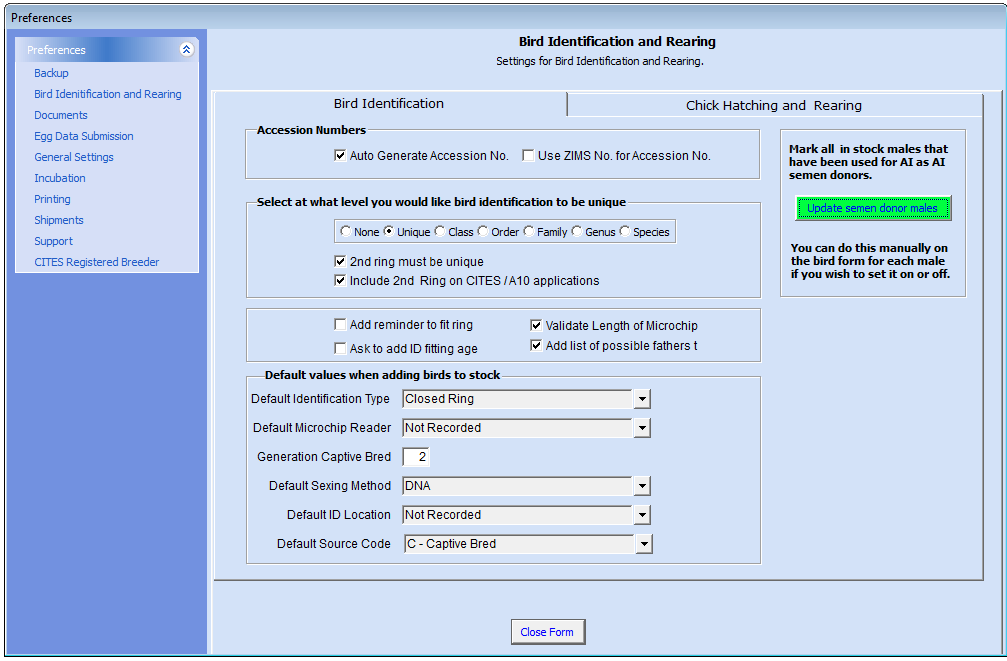
On the right side of the page click on the Update semen donor male button.
This will tick the Male used for AI checkbox for all males that are in stock that have been used for AI in the past.
How AIMS adds AI System Males #
For each species of male that is marked as a Male used for AI AIMS will create an AI System Male for you to select from in the list of fathers for eggs.
This is done at species level. If you select mark a subspecies of Peregrine, for example Falco peregrinus calidus as Male used for AI, AIMS will crates an AI System Male Peregrine, Falco peregrinus.
The same for Gyr Falcon colour morphs, if you mark a white Gyr Falcon AIMS will create an AI System Male Gyr Falcon, Falco rusticolus.
Subspecies and colour morph AI System males are not crated in order to reduce the number of AI system males to select from.
When you select an AI system Male Peregrine as the father for an egg AIMS will add all peregrine falcons, irrespective of subspecies, that are marked as Male used for AI at that time as possible fathers for the egg.
How to use this. #
When selecting the father for an egg you simply select one of the AI System Males from the list of fathers.
Open the list of fathers to select from. Then type A. This will take you to the males who’s in house name starts with A. All of the AI system males and the name and identification 1 starting with AI System Male.
Select the AI System Male species you want to use and then enter the rest of the data for the egg as normal.

When you save the record a button will appear next to the father entry field.
This shows you in brackets how many possible fathers have been recorded for this egg.
In the example below there are two possible fathers.
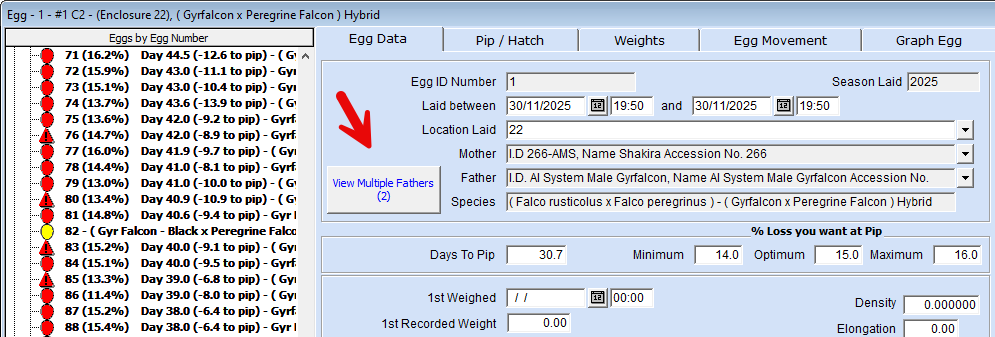
If you click on this button it will open a form to show you the details of the possible fathers recorded for this egg.
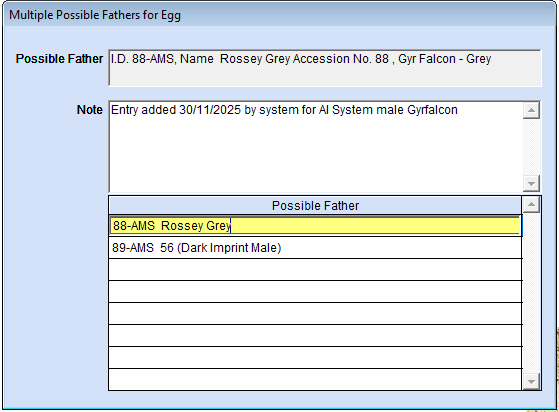
If there are some males here that you know you did not use for the female you can delete the entries using this form.
You can add more males to this form if you wish. The males you can select from are any males that are marked as Male used for AI on the bird form.
This includes species other than the AIM System Male species you have selected for the egg.
Why would you want to use a species other than the AI System Male species as a possible father. #
If for example you had a female peregrine that last week you inseminated with only Peregrine Falcon semen and this week you have switched to using Gyr Falcon semen the chicks might be of either species. Selecting AI system Male Gyr as the father tells AIMS that you believe the chick from the egg would be a Gyr x Peregrine Hybrid, but you record that it might be a pure Peregrine Falcon.
Later in this page we will explain how this works on permit applications.
In the above case if you wanted to add all of the possible Gyr Falcons fathers and all of the possible Peregrine Falcon fathers and end up with the father of the egg as AI System male Peregrine, select AI Systems male Gyr Falcon and save the record and then change it to AI System Male Peregrine Falcon.
When you then save the record the 2nd time you will be presented with a form as below asking you what you want to do.
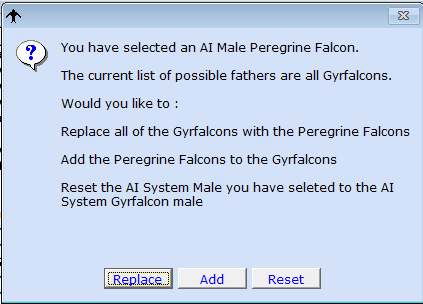
Replace: This will remove all of the Gyr Falcons and add the Peregrines.
Add: Will add the peregrines to the Gyrs falcons and leave you with the Peregrine as the AI System Male for the father of the egg on the egg form.
Reset: Will discarded the Peregrine Falcon entry and set the father for the egg back to the AI system Gyr Falcon.
If you have more than one species as the possible father the View multiple fathers button will show this to you.
If we have 1 Peregrine Falcon and 4 Gyr Falcons as possible father the button would show:
If you delete entries from the Multiple Possible Fathers form and leave only one entry then when you close the form AIMS will remove that bird from the possible fathers table and add it as the father for the egg, since there is only one possible father.
The same will happen if you select an AI system Male species for which there is only one male marked as Male used for AI for that species, since it is the only one that can be the father.
Using this with A10 and CITES Applications #
When you create A10 or CITES applications using the A10 / CITES Application ( Bulk ) AIMS will add the possible fathers to the application PDF and also to the text form it creates for you to copy and paste from into the online application form.
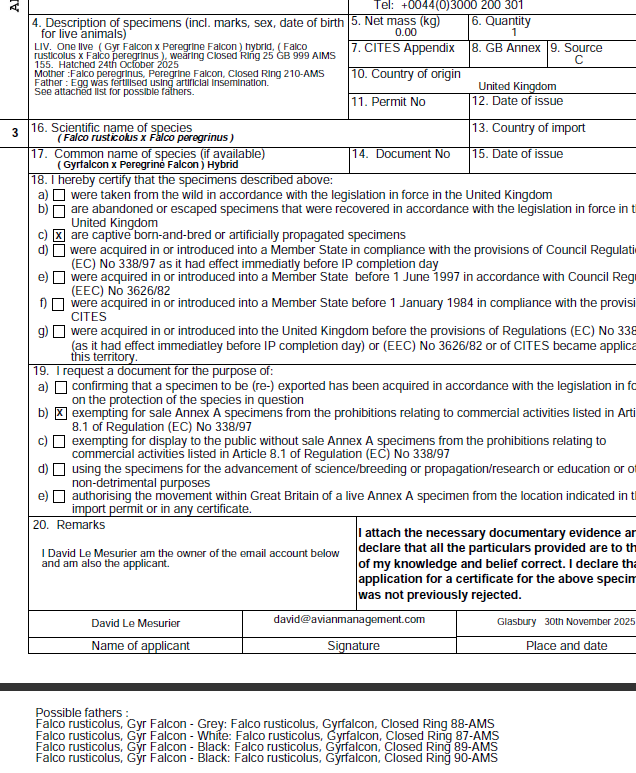
Below is the text file to copy and paste from into an online A10 application.

In the above example we had the father as an AI system Gyr Falcon The above does not show the Peregrine.
If you want to show all of the fathers, including those that are not the primary species for the eggs father you can tick this box in the preferences form on the CITES reporting page.
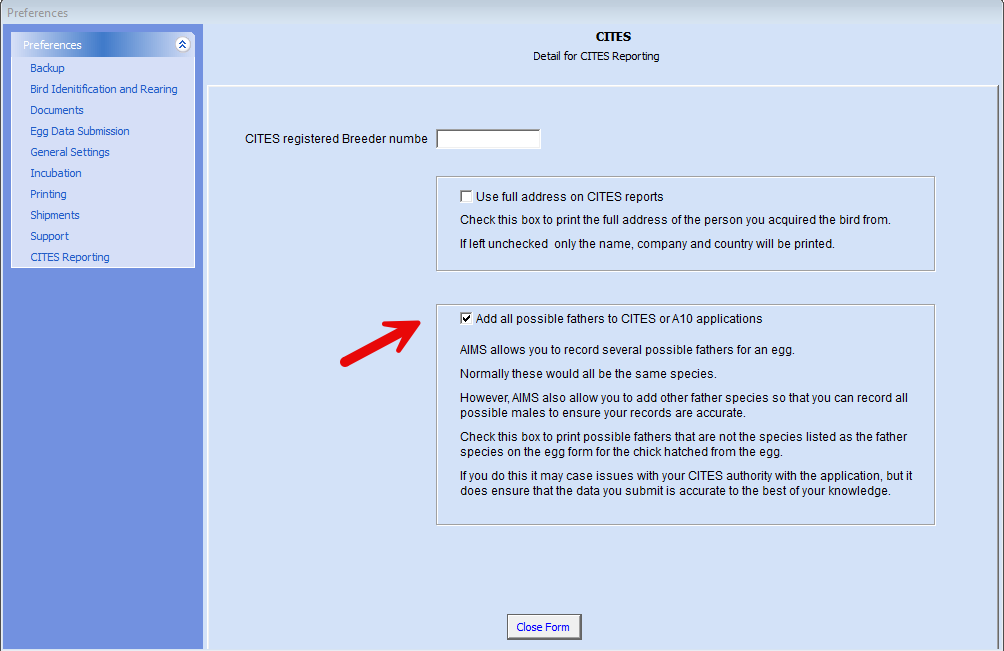
This would then show the Peregrine AI male as well.
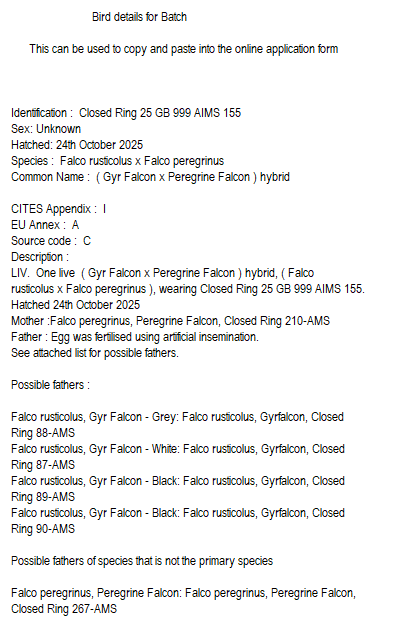
We do not recommend this for your applications at this time as the UK CITES authority have told us that they are unable to process applications with multiple possible species as fathers.


