
In version 11.2 we added a compliance report to flag possible issues with ring numbers, source codes etc.
In this version we have added a new report to allow you to check the information on rings against the data you have in AIMS and on your permits.
You can run this from the Reports / Stock reports Menu
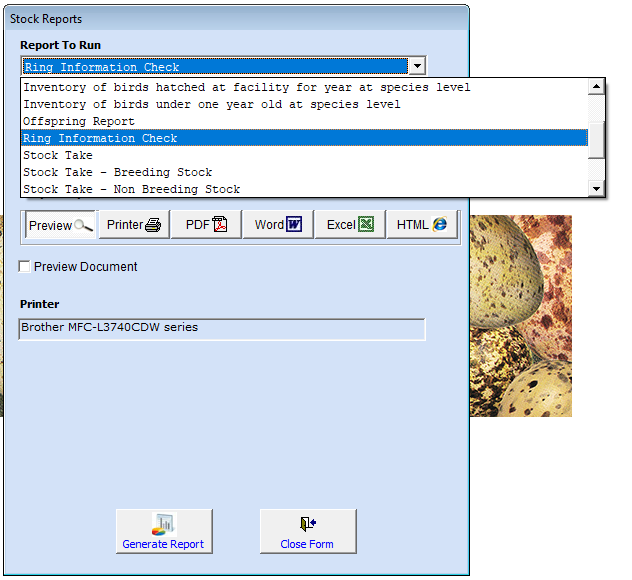
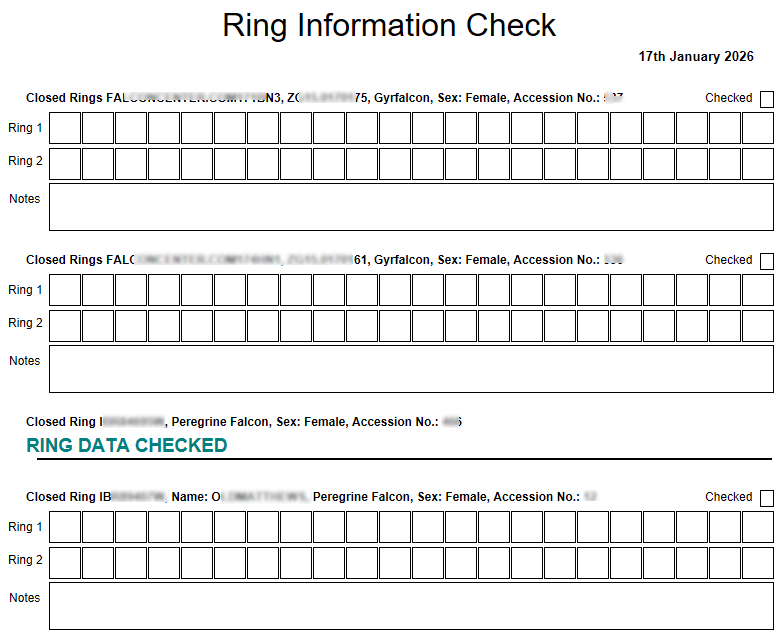
The report is ordered by ring number and shows you the birds data as entered in AIMS.
When you catch your birds to move for cleaning breeding chambers then you can use this to check the ring, if there are any differences you can write the ring data onto the report EXACTLY as it appears on the ring.
Then use the All Birds on System form to make any changes.
This form has a tick box to mark that the ring has been checked.
When you print the report any birds that have this ticked will show the words in green, RING DATA CHECKED, in place of the boxes to enter the ring information into.
Be sure to update any A10 permits of the ring information on the bird does not EXACTLY match that on the ring.